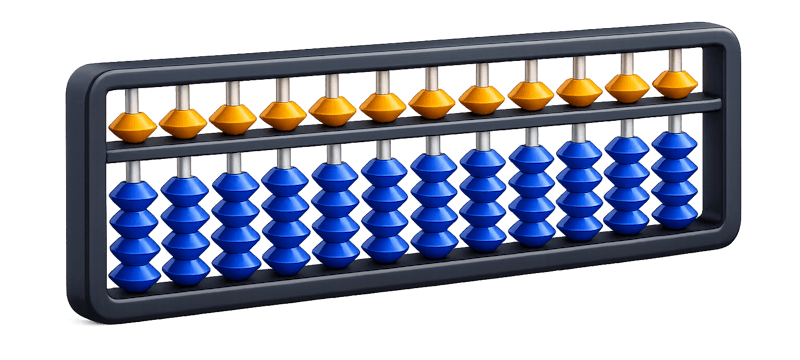
The platform for mental arithmetic teachers

Abacus
Get startedFree for teachers

Created by teachers, for teachers

How Amavit works

Create groups, run lessons, assign homework, manage learning and track your students' results — all in one system.

Ecosystem

All learning — in one system

Every participant gets their own tool.

🧑‍🏫
Teacher
Web platform · mobile-first
Beginners
120 examples
ready for the lesson
Dashboard
Lesson · 2:00 pm
Beginners
Homework 12/14
🧮 Examples
Teacher
Web platform · mobile-first
Running lessonsManaging studentsHomeworkTracking results
🧒
Child
Mobile app
Hey, Emma!🔥 12
Daily practice
7 of 10 examples
📝
Homework
due Friday
🏆+2 achievements
Child
Mobile app
PracticeHomeworkAchievementsDaily training
👪
Parent
Monitoring app
My kids
🧒
Emma
84%
🧒
Lucas
62%
Homework done ✓
Emma · today, 4:20 pm
Parent
Monitoring app
Learning resultsChild's progressCompleted assignmentsAchievements

Everyone works in one system and sees up-to-date information.

Teacher's dashboard

All of a teacher's work — in one place

Features

What Amavit can do

📚HomeworkFast assignment and automatic checking
🏆Student motivationAchievements and practice streaks keep interest alive between lessons
📈Progress trackingEvery student's results are always at hand
👥Group managementIndividual and group lessons in one dashboard
⚙️Teaching workflowLess routine — more time for your students
Beginners
12 students · 8/12 done today
Live lesson
E
Emma84%
L
Lucas62%
A
Ava91%
Assign Homework
✓ Homework checked📊 Report sent to parents
How it works

From sign-up to results

1Add a student
2Run a lesson
3Assign homework
4Get the results
5Parents see the progress
1
Add a student
2
Run a lesson
3
Assign homework
4
Get the results
5
Parents see the progress
For every participant

Value for everyone

app.amavit.com
Hey, Alex! 👋
Today's lessons3 scheduled
15:00–16:00Beginners
16:30–17:30Level 2
Beginners
HW: Small Friends, 2 · Normal12 students · 8/12 done todayAssign Homework
Teacher:
Students do their homework regularly
Parents track progress on their own
Less administrative routine
More time for teaching
A modern way of working
14:05
Hey, Emma! 👋
🌙3
Let's practice 💪
Homework today
See all ›
Small Friends · +2 · Normal
Due: Aug 15
Round 2 of 6 · Stage 2 of 2 · 0/227%
Start homework →
Continue
Your accuracy needs improvement
Abacus Trainer
Practice with virtual abacus
Level
5
120 / 200 XP
Streak
7
7 days in a row!
Home
Games
Progress
Profile
Child, every day:
practises
does homework
earns achievements
boosts brainpower
9:41
Home
Good afternoon, Maria
Add Child
E
Emma
TodayPracticed · 10 min · 3 games
HomeworkSmall Friends, 2 · NormalRound 2 of 6 · Stage 2 of 227%
TeacherAlex Rivera
Switch to Emma's App
L
Lucas
TodayPracticed · 5 min · 1 game
HomeworkSimple, 3 · EasyRound 1 of 4 · Stage 1 of 245%
TeacherPriya Sharma
Parent:
All children's profiles — in one app
Homework — under control
Every child's progress — always at hand
Interest in learning — stays strong

Why teachers choose Amavit

Works with any teaching method
Perfect for individual and group lessons
No need to change your usual workflow
You can start today

Start working with Amavit today

Signing up takes less than a minute.
Students and parents join by your invitation.

1Sign in to the platform
2Create your first group
3Invite students and parents
Get startedFree for teachers

Available on the web, App Store and Google Play.

FAQ

Questions teachers ask

How much does Amavit cost?

Amavit is free for teachers — now and going forward. Create groups, run lessons and assign homework without limits or payment.

Do I need to change my teaching method?

No. Amavit doesn't impose a curriculum: you build every assignment yourself — topic, digits, chain length, operations and speed. Your settings can be saved as presets, so you don't rebuild them before every lesson.

Can I use my own textbooks?

Yes. One of the assignment types is workbook practice: you enter the page and task numbers, and the student sees it in the app next to the rest of their homework.

Does it work for one-to-one lessons?

Yes. Homework is assigned either to a whole group or to an individual student, and a student can be enrolled without a group at all.

How long does signing up take?

Three steps: choose your role, enter your phone number and password, confirm the code from the SMS. With Google it's quicker still.

How do parents join?

You add a student and get a code — the parent types it in or scans the QR. Once connected, they see the progress and homework of their own child only.

Who checks the homework?

Interactive tasks are checked automatically: you get completion rate, accuracy and speed. Workbook tasks the student marks as done — those you check the way you always have.

What if there is no internet?

Students can keep working offline — tasks and games run on the device. Results are saved locally and sent to the server once the connection is back.

How is children's data protected?

A student is registered under a nickname — a real name is not required, and neither is the parent's phone number. Parents see only their own child, teachers only their own students, and passwords are stored as hashes.